Custom Fields
Administration > Parks & Rec Setup > Custom Fields
Custom Fields maintains custom fields to manage additional activity, team, or rental information.
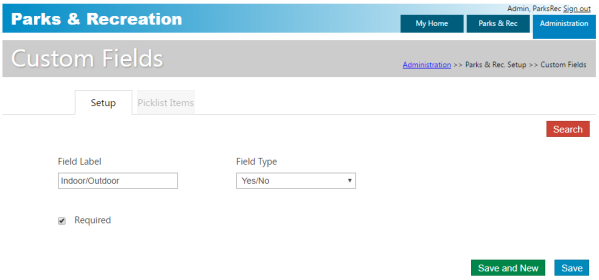
Selecting the Required check box causes the field to require an entry for end-users creating Parks & Rec records.
When the value of the Field Type field is Select, the Picklist Items tab is enabled. Use this tab to define the items that should be available from the defined field when it is assigned to a program.
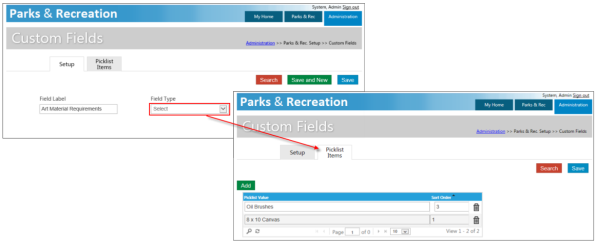
When you create custom fields formatted as drop-downs, the -Select- option is available. Use this option to indicate that a user should select an appropriate option when completing the field. Required fields for which a user selects a blank option will cause a validation error and prevent a record from saving.
When custom fields are attached to a record type, the Custom option is active on the Details page for records assigned to that type.
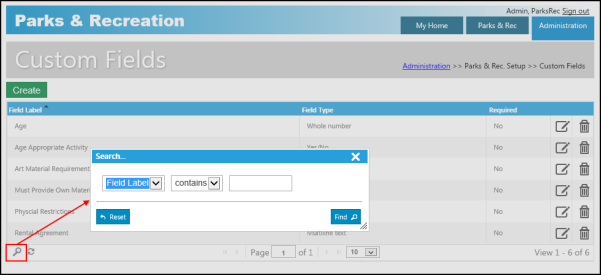
The Search option for custom fields lets you define search criteria using the field type and value.